Why Your Best AI Art Feels Like a Happy Accident You Can’t Repeat
You finally hit the jackpot. You typed a prompt, hit generate, and out popped a masterpiece. But then you tried to change a tiny detail—maybe just the background color—and the whole image fell apart. Sound familiar? That frustrating "guessing game" is why so many people give up on AI art. It feels like throwing darts in the dark. But here is the good news: it is not random luck. You just need to know how to lock in your settings so you can keep your best creations safely in your hands.
We often feel like we are just pulling a lever on a slot machine. We hope for a win, but we have no real control over the outcome. This lack of control can really mess with your head. It makes the creative process feel stressful instead of fun. You start to worry that if you find something good, you can never get it back or tweak it. It’s like trying to bake a cake without a recipe. You might get lucky once, but you can’t do it again tomorrow.
Quick Takeaways: What You Will Learn Today
- How to stop relying on random luck and start controlling your AI art.
- Why "seed numbers" act like a GPS coordinate for your image.
- The exact steps to find and use seeds in Midjourney, Stable Diffusion, and DALL-E.
- How to keep the exact same character face while changing their clothes or background.
The Secret Map Inside Every AI Image
You might wonder why an AI gives you something different every time you type the same word. It feels like the computer is "thinking," but it’s actually just following a path of noise. Think of an AI image generator like a huge, dark forest. Every time you ask for a picture, the AI starts walking. If it starts at a random spot, it will find a different tree every time.
A seed number is like a GPS coordinate for that forest. It tells the AI exactly where to start its journey. When I realized this, I felt a huge weight lift off my shoulders. I wasn't just gambling anymore. I had a way to mark the spot where I found my "diamond."
Most people don't realize that the "randomness" in AI isn't actually random. Computers are not good at being truly random. They use math to create something that looks random. This is called "pseudo-randomness." And every single path of math starts with a single number. That number is the seed. If you know that number, you can take the exact same path again.
Before we go further, let's clear up some common confusion about AI seeds. A lot of beginners get stuck because they believe things that simply aren't true.
 How to Take Control of the Chaos
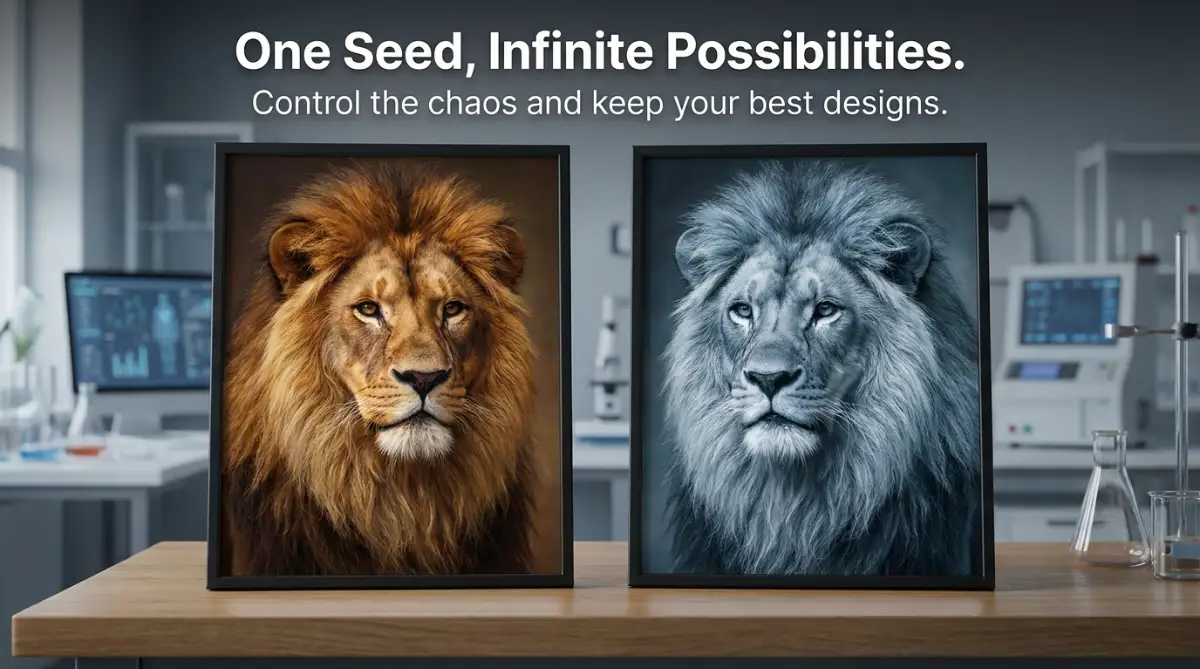
Using Fixed Seeds to Lock Your Designs
The first thing I started doing was looking for the seed number in my settings. Usually, the AI is set to "-1" or "Random." This tells the computer to pick a new number every time. This is why you get a new face or a new landscape every single second. To stop this, you need to pick a specific number and type it in.
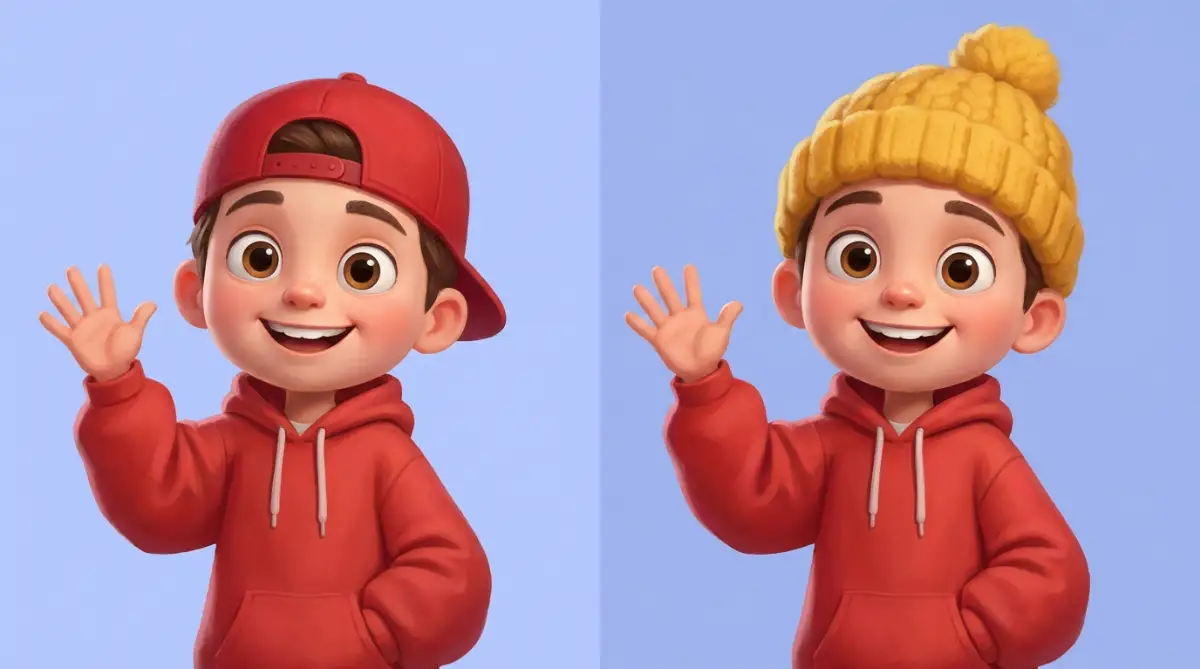
When I used a fixed seed, like "550," something amazing happened. I could change small words in my prompt, and the overall structure stayed the same. This is how I finally changed that character’s hat without losing their face. It gave me the power to edit my work like a real professional.
I suggest you try this today. Pick a random number, maybe your birthday or just a string of digits like "12345." Keep that number in the seed box. Now, change your prompt slightly. You will see that the AI keeps the same "vibe" and layout. This is the first step to feeling like you are actually in the driver's seat.
Understanding the Starting Point of Noise
To really get this, you have to understand what the AI sees first. It doesn't see a person or a cat. It starts with a screen full of static, like an old TV with no signal. We call this "noise." The AI looks at that noise and tries to find shapes that match your words.
The seed number determines what that initial static looks like. If the static is the same, the AI will likely find the same shapes in it. This is a very logical way to think about it. If you start with the same messy pile of blocks, you are more likely to build the same tower every time.
If you want to see this in action and really master the visual side of these tools, you should check out this helpful guide.
Why Seeds Matter for Your Creative Sanity
Using seeds isn't just about technical precision. It’s about how you feel as a creator. When I had no control, I felt anxious every time I clicked the button. Now, I feel calm. I know that if I find something I like, I can "save" it by saving the seed number.
This also helps when you want to create a series of images. Imagine you are writing a book and want the same character on every page. Without seeds, this is almost impossible. But with a fixed seed and a consistent prompt, you can keep that character looking the same. It makes your work look much more professional.
I once spent a whole afternoon trying to make a set of icons for a website. They all looked slightly different, and it was driving me crazy. Once I started using the same seed for the whole set, they finally looked like they belonged together. It saved me hours of work and a huge headache.
Moving Beyond the Default Settings
Most beginner tools hide the seed number from you. They want to make it look like "magic." But you are not a beginner anymore. You are a creator. You need to look into the "Advanced" or "Expert" settings of your software. Look for a box that says "Seed."
In tools like Midjourney, you can find the seed by reacting to your own image with an envelope emoji. In Stable Diffusion, it’s right there on the main screen. In DALL-E, it can be a bit trickier, but you can often ask the AI for the seed number in the chat.
To make your life easier, I put together a quick cheat sheet. Here is exactly where you can find the seed numbers in the most popular AI generators right now:
Pro Tip: I always keep a simple notepad open on my computer while I work. Whenever I get a result I love, I immediately copy the prompt AND the seed number. I used to think I would remember them, but I never did. This small habit has saved my best work from disappearing into the void more times than I can count.
The Relationship Between Prompt and Seed
It is important to remember that the seed and the prompt work together. They are partners. If you keep the seed the same but change the prompt completely, the image will change. But it will often try to keep the same colors or "energy."
Think of the seed as the "style" or the "foundation" and the prompt as the "subject." If you have a foundation for a house, you can change the color of the paint, but the walls stay in the same place. That is the best way to visualize how these two things interact.
I found that by keeping the seed constant, I could learn exactly what each word in my prompt was doing. It’s like a science experiment. You keep everything the same and only change one thing. This is the fastest way to become an expert at prompt engineering.
Troubleshooting Seed "Drift"
Sometimes, even with the same seed, the image might change slightly if you change the "Sampling Method" or the "CFG Scale." These are other settings in the AI tool. It’s like using a different brand of flour in your recipe. It might still be bread, but it feels a bit different.
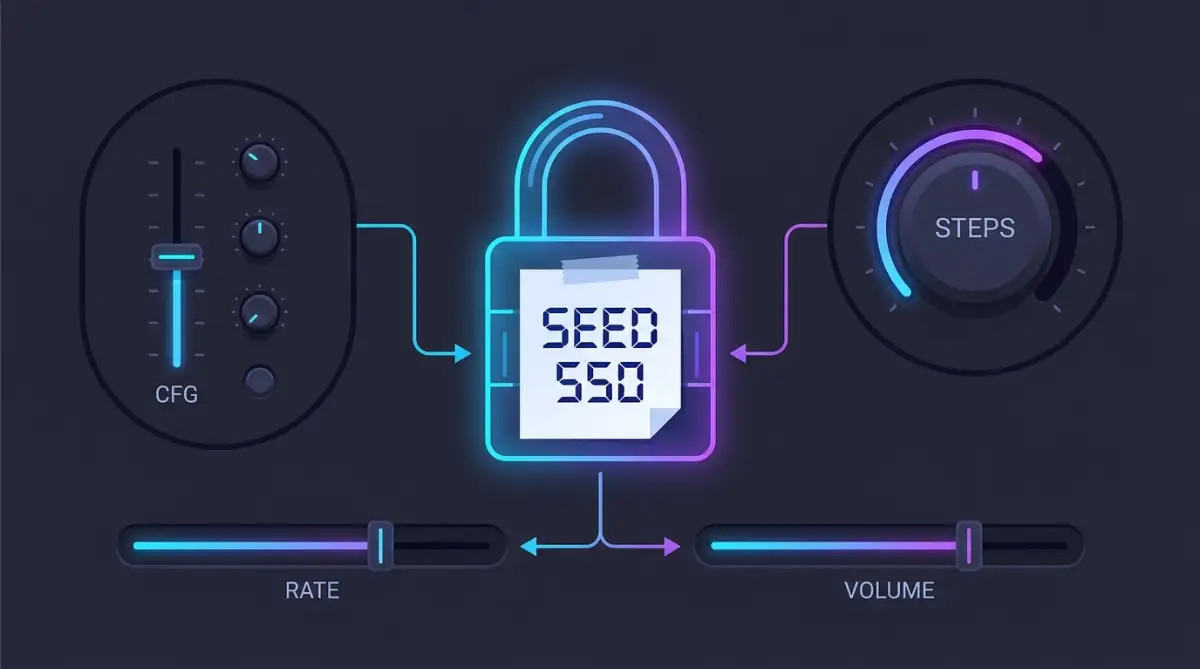
If you are trying to be perfectly consistent, you must keep all your settings the same, not just the seed. I learned this the hard way after a very long night of testing. I was so confused why my images were changing until I realized I had bumped a slider by mistake.
Always double-check your numbers. A small change in a setting can have a big impact on the final look. But don't let this scare you. It’s all part of the learning process. The more you play with these numbers, the more natural it will feel.
Why Some Seeds are "Famous"
In the AI community, people sometimes share specific seed numbers. They say things like, "Use seed 42 for better cinematic lighting." While this isn't always true for every tool, it shows how much people value these numbers. They are the keys to the kingdom.
I tried some of these famous seeds myself. While they didn't always give me a masterpiece, they did show me new styles I hadn't thought of. It’s like trying someone else’s glasses. You see the world in a different way for a moment.
But the best seed is the one you discover yourself. It’s the one that matches your unique vision. Don't be afraid to try high numbers, low numbers, or even your phone number. You never know what kind of "noise" is hidden behind those digits.
Creating Your Own Library of Seeds
As you get better, you will start to have a collection of seeds that you love. Maybe seed "888" always gives you great clouds. Maybe seed "101" is perfect for portraits. Start building a "Seed Library." It sounds nerdy, but it’s a total game-changer.
I have a small folder on my desktop filled with screenshots of my favorite results. Each file name includes the seed number. Now, when I start a new project, I don't start from zero. I go to my library and pick a starting point that I already know is good.
This makes the creative process feel like building blocks. You are adding to your skills every day. You aren't just clicking a button and hoping for luck. You are a craftsman using a very powerful tool. And that feels amazing.
Final Thoughts on the Logic of AI Seeds
Understanding seeds is the bridge between being a casual user and a real AI artist. It takes the "mystery" out of the machine and replaces it with logic and control. You realize that the AI isn't a ghost; it's a calculator. A very, very smart calculator.
When you master this, you stop being afraid of losing your work. You stop feeling frustrated when a generation goes wrong. You just look at the numbers, adjust your settings, and try again. It’s a much more peaceful way to create art.
I hope this guide helps you feel more confident in your AI journey. Remember, every great artist had to learn their tools. For painters, it was brushes and oils. For us, it’s prompts and seed numbers. Embrace the numbers, and they will reward you with beautiful, consistent art.
Moving Beyond the Basics to Control Your AI Art Like a Pro
Now that we understand what a seed number is, we can start looking at the expert tricks. I learned these the hard way through trial and error. For a long time, I thought seeds were just for making the same image twice. But there is a much bigger world of control waiting for you.
One of the coolest things I found is that you can use seeds to "fine-tune" a character. Let’s say you have a character you love, but you want to see them in a different pose. By locking the seed and slightly changing the prompt, you maintain the character’s soul while moving their body. This is the secret behind mastering AI character consistency.
I often tell my friends that a seed is like a DNA strand for your digital art. If you change the DNA just a little bit, you get a sibling or a cousin of the original image. This level of control makes you feel like a real director. You aren't just a passenger; you are the one steering the ship.
The Art of Finding Your "Golden" Seed Numbers
Not all seeds are created equal. I have found that some seeds seem to naturally produce better lighting or cleaner lines. I keep a list of these "Golden Seeds" in a small notebook on my desk. When I’m stuck and my images look messy, I go back to one of my favorite numbers.
You might find that a certain seed always gives you a vintage look. Another seed might be perfect for high-tech sci-fi scenes. To find these, I suggest running a "seed test." Pick one simple prompt and run it with ten different random seeds.
Save the numbers of the two or three that look the best. These are now part of your personal toolkit. Using these proven numbers helps you avoid the "ugly" results that AI sometimes gives. It’s a great way to save time and keep your creative energy high.
How to Blend Seeds for Unique Results
Some advanced tools actually let you blend two different seeds together. This is a very deep topic, but it’s worth exploring. It’s called "Seed Variation" or "Seed Resizing" in some software. Imagine taking the colors of one seed and the shapes of another.
I used this trick when I wanted a specific sunset color but liked the mountains from a different generation. By using a variation strength of about 0.2 or 0.3, I could mix them. This is how you create something truly unique that no one else has.
If you are using tools like Stable Diffusion, look for the "Extra" checkbox near the seed box. It opens up a world of variation that most people never see. This is where the real magic happens for professional creators.
Consistency Across Different Projects
When I work on a big project, like a comic book or a website, I use a "Master Seed" for the whole thing. This ensures that every image has the same "vibe." Even if the subjects are different, the texture of the image stays the same.
This is a big deal if you want your work to look like a cohesive brand. If one image is sharp and the next is soft, it looks like a mistake. Using a consistent seed helps you avoid ruining your AI art with lighting mistakes.
I always tell new creators to think about their seed before they even start typing. It’s the foundation of your entire house. If the foundation is solid, everything else you build on top of it will look better.

My Quick Pre-Flight Checklist Before You Hit "Generate"
Before you click that button and spend your precious fast-hours or credits, run through this quick checklist. I use this every single time to make sure my seeds work perfectly:
- Did I lock the seed number? (Check if it says "random" or "-1").
- Are my dimensions the same? (Changing from square to landscape breaks the seed).
- Is the model version the same? (Make sure you didn't accidentally switch from v5 to v6).
- Did I change only ONE thing in the prompt? (Don't rewrite the whole sentence, just swap the words you need to change).
The Hidden Traps That Can Break Your AI Workflow
Even when you know about seeds, it is very easy to make mistakes that ruin your work. I have made every single one of these errors myself. The most common one is forgetting that the seed is tied to your prompt.
If you change your prompt too much, the seed won't be able to "save" your image. It’s like trying to fit a square peg in a round hole. The seed provides the noise pattern, but if the words don't match the pattern, the AI gets confused.
I remember once spending three hours trying to fix an image. I had the right seed, but I had added too many new words to the prompt. The AI was trying to do too many things at once. I felt so frustrated and angry at myself.
Changing Too Many Settings at Once
Another big mistake is changing your seed AND your "Guidance Scale" (CFG) at the same time. This is like trying to change the tires on a car while it’s moving. You lose track of what change actually made the image look better or worse.
I always suggest changing only one thing at a time. Change the seed, see what happens. Then, change a word in the prompt. This slow and steady path is the only way to truly learn. If you rush, you will just end up with a mess.
It is also important to remember that different models handle seeds differently. A seed that works in one version of an AI might look totally different in another. This can be very confusing if you aren't paying attention to which model you are using. To understand this better, you can look at the science behind your image prompts.
The "Copy-Paste" Disaster
Many people find a great prompt and seed online and just copy it. They expect to get the exact same image. But if they are using a different version of the software, it won't work. This leads to a lot of disappointment and "why isn't mine as good?" feelings.
You should use other people's seeds as a starting point, not a final answer. Use them to learn, but always try to find your own path. Research from institutions like MIT’s Computer Science & Artificial Intelligence Laboratory shows how complex these models are. A tiny change in the background math can change everything.
I used to get so sad when my copies didn't look like the originals. But then I realized that my "failed" versions were actually unique to me. They were something no one else had. Once I stopped trying to be a copycat, I started having way more fun.
Ignoring the "Noise" in Your Process
Sometimes, your AI might start producing images that look blurry or distorted. Many people think this is a problem with the seed. But often, it's about how the AI handles the initial noise. If you don't give the AI enough "steps" to clean up the noise, the seed won't matter.
If your images look like a mess, try increasing your sampling steps. This gives the AI more time to follow the seed's map. It’s like giving a painter more time to finish their work. If you rush them, the painting will be blurry no matter how good the sketch was. You can learn more about fixing blurry AI images to save your work.
I always check my steps before I blame the seed. Usually, the seed is doing its job, but I'm not giving the computer enough time to think. Be patient with the process. Quality art takes time, even when a computer is doing the heavy lifting.
Your Path to Becoming a Master of AI Creativity
Taking control of seed numbers is the moment you stop being a casual user and start being an artist. It is a very exciting transition. You go from "I hope this looks good" to "I know how to make this look good."
This journey is all about practice. Don't be afraid to fail. I have thousands of "bad" images on my hard drive. Each one taught me something new about how seeds and prompts work together. Every mistake is just a lesson in disguise.
I want you to feel empowered when you open your AI tools today. You have the keys to the kingdom now. You know how to find the path, how to mark the spot, and how to come back to it whenever you want. This is a very special kind of digital magic.
My best advice is to start a "Seed Journal" today. Just a simple document where you save your favorite numbers and what they did. Within a week, you will notice that your art looks 100% better. You will feel more calm, more creative, and more in control.
I truly believe that anyone can create amazing art with these tools if they just take the time to learn the "why" behind the "how." You have the talent, and now you have the technical knowledge. Go out there and create something that makes you proud.
Common Questions About AI Seed Numbers
Disclaimer: This blog post is for educational purposes only. AI software changes quickly, and some features may vary between different tools and updates. Always check the official documentation of your specific AI tool for the most accurate and up-to-date settings. We do not promote any specific AI company and encourage users to follow ethical guidelines when creating digital art.
Final Message from BAPPA REMA:
I used to feel like AI art was just a game of luck, but learning about seeds changed my entire creative life. It gave me the confidence to tell stories and build worlds without the fear of losing my best ideas. I want you to feel that same power today, so go ahead and lock in a seed and see where your imagination takes you!