
The Silent Heartbreak of an Invisible Creator
You spend hours writing the perfect blog post, format it beautifully, and finally hit publish. Then... absolutely nothing happens. Your visitor count stays stuck at zero, and your page is nowhere to be found on Google. I know exactly how frustrating it feels to put your heart into creating great content that nobody reads, but the fix is actually much simpler than you might think. You do not need to rewrite your posts or buy expensive tools; you just need to hand the search engines a clear map so they can actually find your work. Let me show you exactly how I do it.
If the search engine does not know your page exists, no one will ever read it. This terrible waiting game causes severe mental fatigue, making talented creators doubt their own skills. They assume their writing is bad, but the truth is often much simpler: the search engine simply has no map to find their hidden website. You can have the most beautiful, helpful website in the world, but it means absolutely nothing if it remains invisible.
Quick Action Plan For Today:
- Verify your website ownership in the search engine dashboard to unlock your data.
- Locate your exact sitemap link (usually ending in .xml).
- Submit the link to the webmaster tool to guide the bots directly to your posts.
- Use the inspection tool to manually push brand new articles for faster discovery.

Why Your Website Feels Like a Hidden Island
To fix this frustrating problem, we first need to understand how the internet actually works. Think of the web as a massive, constantly growing ocean of information. Every new website is just a tiny, undiscovered island in this endless water.
Search engines use automated robots to sail across this ocean and discover new content. These robots move from one link to another, building a massive library of everything they find. However, these robots are incredibly busy and do not have unlimited time to search blindly.
If your website has no direct paths pointing to it, the robots will simply sail right past you. This is exactly why your articles are not showing up when people search for them. You are waiting to be discovered by chance, which is a terrible strategy for growth.
Instead of waiting, you need to hand these robots a clear, detailed map of your entire island. This map tells them exactly where every single article, image, and page is located. Once they have this map, they can process your content in minutes rather than months.
Creating the Ultimate Guide for the Search Robots
This digital map we are talking about is known as a sitemap. A sitemap is essentially a simple directory file that lists every single URL on your website. It removes all the guesswork for the automated robots exploring your site.
When you update an old article or publish a brand new one, this directory updates automatically. It acts like a bright neon sign pointing directly to your freshest content. But having this directory file on your server is only half of the battle.
You actually have to physically hand this file over to the search engine so they know it exists. We do this by using a free dashboard provided directly by the search engines themselves. These webmaster dashboards are the ultimate communication tool between you and the internet.

Myth vs Reality: Understanding the Indexing Process
Claiming Your Digital Property
Before you can submit any files, you must prove that you actually own the website. You cannot just submit files for a website that belongs to someone else. Therefore, the very first action you must take is verifying your domain ownership.
Head over to the official Google Search Console platform and sign in securely with your primary email. You will see an option to add a new property to your account. The system will ask you to enter your exact website address into a blank field.
Make sure you type your address exactly as it appears in the browser, including the secure "https" part. Once you enter this, the platform will give you a few different ways to prove you own the site. The easiest method is usually downloading a small verification file and uploading it to your server.
If you use a popular website builder, they often have built-in settings where you can just paste a small verification tag. Once the system checks and sees that the tag is in place, you become the official verified owner. This opens the door to a massive amount of incredibly useful data about your website.
Locating Your Hidden Directory File
Now that you have the keys to your dashboard, you need to find your exact sitemap address. Most modern website builders and SEO plugins generate this directory completely automatically for you. You do not need to write a single line of text yourself to create it.
Typically, this file lives right at the end of your main website address. If you type your website name and add a forward slash followed by "sitemap_index.xml", you will usually find it. Sometimes, depending on your software, it might just be "sitemap.xml".
When you find it, it will look like a very plain, text-heavy page with a list of links. Do not worry about how ugly it looks to a human reader. This page is designed specifically for robot eyes, and to them, it looks absolutely beautiful.
The Golden Mistake I Made Early On
Here is a quick lesson from my own failures that might save you hours of confusion. When I first tried to submit my file, I accidentally pasted my entire home page address instead of the actual sitemap link. I waited for three whole days wondering why the dashboard kept showing a big red error message. Always double-check that you are submitting the specific directory address, not just your main domain name.
My Personal URL Checklist Before Submitting:
To save you from the headache I went through, always check your web address format before hitting that submit button. Here is what you should look for:
- Wrong Format: yourwebsite.com/home or yourwebsite.com/blog
- Correct Format (WordPress): yourwebsite.com/sitemap_index.xml
- Correct Format (Shopify/Squarespace): yourwebsite.com/sitemap.xml
- If your link looks like the bottom two, you are completely ready for the next step.
The Final Submission Step
Now that you have copied the correct directory link, go back to your webmaster dashboard. Look at the left side menu and search for a tab that says "Sitemaps" or something similar. Click on this, and you will see a simple submission box waiting for your link.
Paste the exact ending of your directory file into this box and hit the submit button. The system will instantly try to read the file you just provided. Within a few seconds, you should see a small message confirming that the submission was successful.
This simple action changes everything for your website.
Watch this quick breakdown below to see exactly how easily you can locate and submit this hidden file on your own site today:
Reading the Status Reports Like a Pro
After a successful submission, you might expect your articles to appear in search results within seconds. However, you still need to practice a little bit of patience. The dashboard will usually show a status of "Pending" or "Discovered" right after you submit.
This simply means the robot has received your map and added your island to its travel schedule. Depending on how busy the internet is that day, it might take a few hours or a couple of days for the robot to visit. When the robot finally arrives and reads your pages, the status will change to "Success".
Understanding Common Warning Signs
Sometimes, things do not go perfectly on the first try. You might log in the next day and see a yellow warning or a red error message. Do not panic if this happens, as most errors are incredibly easy to fix.
A common warning is that the robot could not fetch your file. This often happens if your website server was temporarily down when the robot tried to visit. The best solution here is to simply wait a day and let the robot try again automatically.
Another error might say that certain pages are blocked by a separate text file on your server. This means you accidentally told the robots to stay away from your content. You will need to check your main website settings to ensure you are allowing search engines to view your site.
The Power of the Single Page Inspection
While submitting your entire directory is great for your overall website, sometimes you need speed. Imagine you just published an incredibly important news article that people need to read right now. You cannot afford to wait a few days for the robot to do its normal scheduled rounds.
Webmaster dashboards have a specific feature designed entirely for this situation. It is often called a URL Inspection tool or something closely related. You can take the exact link of your brand new article and paste it directly into this tool.
The dashboard will check the link and confirm that it is completely new and unknown. You will then see a button asking the system to prioritize this specific link immediately. Pushing this button places your new article at the very front of the robot's priority line.
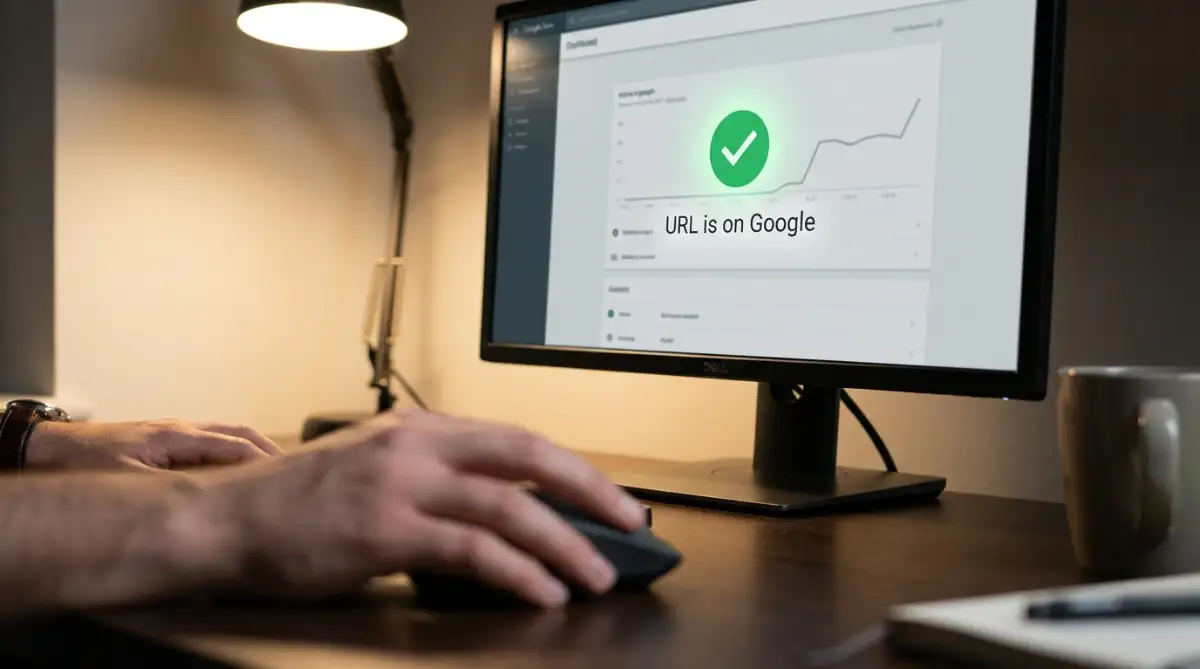
This is my favorite method for getting individual blog posts to show up in search results incredibly fast. I make it a strict habit to use this inspection tool every single time I hit publish on a new post.
Why Speed and Mobile Friendliness Matter Now
Getting the robots to find your page is a massive victory. However, keeping them happy once they arrive is equally important for your success. If your website takes a very long time to load, the robot might get impatient and leave.
They have billions of other pages to visit, so they cannot wait ten seconds for a large image to load. Make sure your website runs quickly by compressing your pictures and keeping things simple. A fast website tells the search engine that you provide a highly professional experience for readers.
Additionally, almost everyone uses their phone to read articles today. Search engines know this, so their robots actively check to see if your site looks good on small screens. If your text is too small or your buttons are too close together, the robots will take notice.
They prefer to reward websites that provide a smooth, frustration-free experience for mobile users. Keep your design clean, use large readable text, and make sure everything adjusts perfectly to any screen size.
My Quick Pro Tip: Before I submit any new sitemap, I always open my website on my own smartphone. I try to click every single button and read the text without zooming in. If my thumb hits two buttons at the same time, I know the search engine bots will penalize the site for a poor mobile experience. Fix those spacing issues first!
The Snowball Effect of Consistent Action
When you start using these webmaster tools properly, something magical begins to happen. The search engine learns that your website is active, healthy, and constantly providing fresh information. Because you are handing them an updated map regularly, they start visiting your site more frequently.
In the beginning, you might have to manually ask them to check your new posts. But over time, as you build trust with the search engine, they will start finding your content automatically. You will publish a post in the morning, and by lunch, it will be naturally visible to the world.
You are no longer waiting for luck to bring people to your island. You are actively building a massive bridge directly to the mainland. By taking control of this process, you protect your mental energy and ensure your hard work actually pays off.
Mastering the Art of Search Engine Communication
Submitting your initial directory file is only the first chapter of your success story. Once you get the search engines to notice your digital island, you have to convince them to keep coming back. Many beginners stop trying after their first successful submission, which is a massive missed opportunity.
To turn your website into a consistent traffic machine, you need to understand how these automated robots actually think. They operate on strict schedules and have limited energy to spend on each website they visit. Your goal is to make their job as incredibly easy and efficient as possible.
Think of a search engine bot as a very busy delivery driver with a tight schedule. If your neighborhood has confusing street signs and dead ends, the driver will get frustrated and leave. But if your streets are clean, logically connected, and clearly labeled, they will happily deliver your packages every single day.
The Concept of the Robot's Energy Budget
Every time a bot arrives at your website, it assigns you a specific "crawl budget" for that visit. This budget is basically the maximum number of pages the bot is willing to read before it moves on to the next website. If you have a massive website, the bot might not read every single page in one single trip.
This means you must prioritize your absolute best content and place it front and center. You do not want the bot wasting its valuable energy reading useless pages like your privacy policy or empty category folders. You want them spending their energy on your highly valuable blog posts that actually bring in readers.
To control where the bot goes, you must keep your directory map incredibly clean and organized. If you delete an old article, make sure it is instantly removed from your sitemap file. Sending a robot to a deleted page is a quick way to lose their trust and waste your daily energy budget.
Building Strong Internal Bridges
Your digital map tells the robot where your pages are, but internal links show them how everything connects together. When you write a new article, you should always link back to your older, related posts. This creates a powerful web of information that makes sense to both human readers and automated systems.
For example, if you are writing about starting a business, link it to your older post about managing finances. This strategy helps the bots understand the main theme of your entire website. If you struggle with knowing what topics connect well, mastering search intent for better SEO is an incredible skill to learn.
When you connect similar topics, you build authority in your specific niche. The search engine starts viewing you as a true expert rather than just a random collection of random thoughts. This naturally encourages them to check your map more frequently because they trust the quality of your work.
Breathing New Life Into Old Articles
One of my favorite insider secrets is using the sitemap to revive old, forgotten content. Most creators publish an article, share it once, and then completely forget about it. However, search engines absolutely love fresh, updated information.
Go back to a post you wrote several months ago and read through it carefully. Add a new paragraph, update an old image, or fix some spelling mistakes. When you save those changes, your sitemap automatically updates its "last modified" timestamp for that specific link.
The next time the robot checks your directory, it will see this shiny new timestamp and immediately revisit the old page. This simple action can easily push an older article higher up in the search results without writing a totally new post. To find which pages need the most help, auditing your website health and performance on a regular basis is a wonderful habit to build.
Understanding the Technical Foundation
You do not need to be a software engineer to succeed, but knowing the basics gives you a massive advantage. Sometimes, a server issue can completely block a robot from reading your perfectly formatted map. The bot will try to visit, but your server will send a confusing response code that forces them away.
Learning how these server responses work can save you weeks of frustration. When everything is perfect, your server sends a positive signal, telling the bot to enter. If something is broken, it sends an error signal, and the bot simply turns around. You can explore understanding server status codes directly through reliable developer hubs to see exactly what these invisible signals mean.
The Hidden Traps That Keep Your Website Invisible
Even with the best intentions, it is incredibly easy to accidentally sabotage your own website. I see brilliant writers give up simply because they flipped the wrong switch in their dashboard settings. These mistakes are heartbreaking because the content is amazing, but a tiny technical error keeps it hidden in the dark.
The worst part is that these errors usually happen silently behind the scenes. Your website will look perfectly fine to you when you type it into your browser. But to the automated systems trying to read your sitemap, your website might look like a locked vault.
The Accidental 'Do Not Enter' Sign
The most common and devastating mistake happens right inside your main website settings panel. Almost every website builder has a small checkbox designed to keep bots away while you are designing your site. It usually says something like "discourage search engines from indexing this site".
Many beginners check this box while building their site and completely forget to uncheck it when they launch. This puts a massive, invisible "Do Not Enter" sign on your entire domain. You can submit your sitemap a hundred times, but the bots will always obey that hidden restriction and walk away.
Always check your main reading or visibility settings before you submit your files to the webmaster dashboard. If you accidentally leave this box checked, you are essentially fighting against yourself.
Changing Web Addresses After Publishing
Another massive trap involves changing the URL or address of a post after it goes live. Let us say you publish a post, and a week later, you decide to change the title and the link structure. You might think you are just making it look cleaner, but you are actually causing chaos for the search engines.
The original link is already saved in their massive database, and they expect to find your article there. When they try to visit the old link, they hit a blank wall known as a 404 error. Meanwhile, your new link has no history, no trust, and is floating around completely disconnected from your past work.
If you absolutely must change a link, you need to create a permanent redirect from the old address to the new one. This acts like a forwarding address at the post office, telling the robots exactly where you moved. Understanding these structural rules is just as important as finding long tail keywords when planning your content strategy.
Ignoring the Reader's Actual Experience
You can build the most beautiful sitemap on the internet, but it means nothing if your website is terrible to use. Search engines closely monitor how real human beings interact with your pages once they click a link. If people leave your site three seconds after arriving, the search engine takes notes.
They will assume your content is unhelpful, slow, or difficult to read on a mobile phone. Over time, they will stop trusting your sitemap submissions because you provide a bad experience for their users.To prevent this, always study core web performance best practices directly from Google's web.dev platform to keep your site incredibly fast and highly responsive.
A page that loads instantly and reads beautifully on a tiny smartphone screen is a massive signal of quality. Ensure your fonts are large, your buttons are easy to tap, and your images do not slow down the page. The bots always reward creators who put the reader's comfort first.
Additionally, focus on making your content easy to consume for everyone. Writing clear headings and adding descriptive text to your images helps both bots and people using screen readers. Following guidelines for creating accessible digital content ensures your website welcomes every single type of visitor.
Creating Trash Folders in Your Map
Many blogging platforms automatically generate a new sitemap link for every single tag or tiny category you create. If you have fifty different tags that only have one article each, you are creating massive amounts of digital junk. You are asking the robot to waste its precious energy crawling empty, useless folders.
This dilutes the strength of your actual, high-quality blog posts. You should configure your SEO plugin to only include your main articles and highly important core pages in the sitemap. Do not be afraid to study the official Google Search Central sitemap documentation to learn exactly what types of pages their automated systems actually want to see.
Keep your map lean, clean, and focused entirely on providing massive value. If you avoid these common traps, your relationship with the search engines will become incredibly strong and predictable.

Common Questions About Search Engine Discovery
Does it cost any money to submit my website to these tools?
No, using official webmaster dashboards is completely free for everyone. Search engines actually want you to use these tools because it makes their job of finding good content much easier. You should never pay a third-party service claiming they can submit your site for a special fee.
How long does it realistically take to see my post in the search results?
If your website is brand new, it can take anywhere from a few days to a couple of weeks for the bot to trust your map. However, as you post consistently over time, this process speeds up dramatically. Eventually, established websites can see their new posts appear in the results within a few hours.