
The Silent Struggle Behind the Screen
Have you ever stared at a massive spike in your daily website traffic, felt a sudden rush of excitement, only to realize a few hours later that it brought you zero actual sales? I have been right there in that exact spot. Nothing drains your motivation faster than thinking you finally figured out your marketing, only to discover your analytics dashboard is feeding you bad data. You end up second-guessing every single decision you make. Let us fix that today so you can finally trust your numbers.
Before I learned how to filter my traffic properly, this exact scenario completely ruined my peace of mind for weeks. I kept asking myself if anything on my dashboard was actually real. When you cannot trust your numbers, running a website feels like driving a car blindfolded on a busy highway. You end up wasting time fixing things that are not broken, while ignoring the real leaks in your business.
Your Quick Action Summary
- Direct traffic is not just bookmarks: It often hides clicks from private emails and secure messaging apps.
- Keep your tracking tags simple: Always use lowercase letters for your UTM parameters to avoid splitting your data.
- Exclude payment sites: Stop PayPal or Stripe from stealing credit for your hard-earned sales.
- Look beyond the last click: Remember that social media awareness often drives the final Google search.
Decoding the Numbers: Your Complete Action Plan
Now that we know how painful bad data can be, let us look at how to actually fix this mess. You do not need to be a math genius to get this right. You just need to stop making a few very common errors that almost everyone makes.
We are going to walk through the most frequent missteps people take when reading their traffic sources. I will show you exactly how to clean up your data starting today. Let us get your dashboard telling you the truth again.
Stop Thinking "Direct Traffic" Always Means Bookmarks
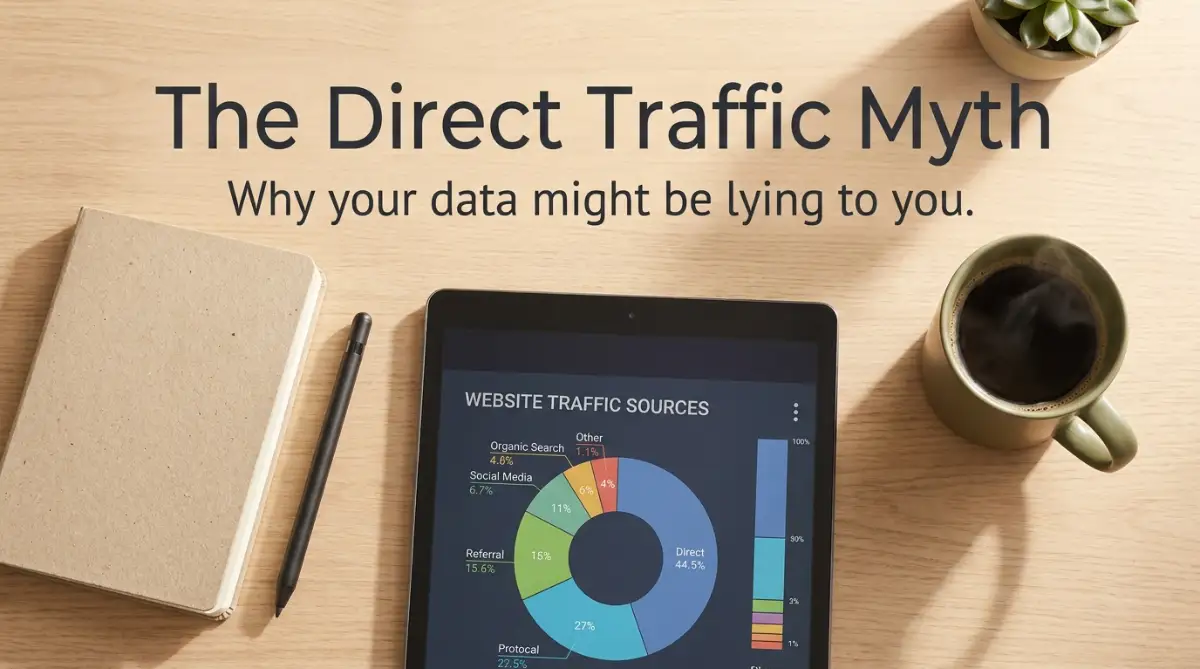
This is probably the biggest trap you can fall into when reading your reports. Most beginners think that if traffic is labeled as "Direct," it means someone typed their website URL directly into the browser. They might also think the visitor used a saved bookmark.
While that is true sometimes, it is rarely the whole story. In the analytics world, "Direct" is basically a giant lost-and-found box. Whenever Google cannot figure out exactly where a visitor came from, it simply dumps them into the Direct bucket.
This happens for a lot of perfectly normal reasons. If someone clicks a link to your website inside a secure messaging app like WhatsApp or Telegram, it often loses its tracking data. This is a concept marketers call "Dark Social," and it accounts for a massive amount of hidden traffic.
Similarly, if your website moves from a secure HTTPS connection to an unsecured HTTP connection, referral data gets dropped immediately. This leaves you completely blind to the real source of your hard-earned traffic.
How to Fix This Mess Today
To fix this, you have to start looking at the specific pages your Direct traffic is landing on. If you see hundreds of Direct visits to a very long, specific blog post URL, common sense tells you nobody typed that by hand.
They likely clicked a link in an email or a private message. You need to start using tracking links for everything you control, which brings us to the next massive error people make.
The Disaster of Inconsistent UTM Tagging
If you want to know exactly which Facebook post or email newsletter drove a sale, you have to use UTM parameters. These are little bits of text added to the end of your links that tell Google exactly where the click came from.
However, setting them up incorrectly is actually worse than not using them at all. Google Analytics is incredibly strict about how it reads these little tags. It is completely case-sensitive, which trips up a lot of smart people.
My Personal Realization: I used to just type whatever I felt like into my UTM trackers. One day I used "Email" with a capital E, and the next week I used "email" with a lowercase e. When I finally checked my reports, Google had split my newsletter traffic into two completely different channels, making my data look terrible. I learned the hard way that creating a simple, standardized tracking spreadsheet is non-negotiable if you want clean data.
If your team is not using a strict naming rule, your reports will quickly turn into a chaotic mess. You will see traffic scattered across ten different variations of the same social media network.
Here is a quick cheat sheet showing exactly how your UTM tags should look versus what you need to avoid:
Your Quick YouTube Guide for Flawless Tracking
Watch this quick visual breakdown to see exactly how professionals build their tracking links without making formatting errors. This short video will save you hours of pulling your hair out over broken tags!
Always use lowercase letters for every single UTM tag you create. Stick to simple, recognizable source names like "facebook" instead of using weird abbreviations like "fb-ads-new".
💡 Quick Pro-Tip for GA4 Users: If you are using Google Analytics 4, remember that it relies entirely on event-based tracking rather than the old session-based models. This means keeping your UTM parameters perfectly clean is more important than ever, because trying to fix broken event data retroactively is practically impossible.
Ignoring the Trap of Payment Gateway Referrals
Imagine running an online store and making a bunch of sales, only to check your reports and see that "PayPal.com" is your top traffic source. This happens all the time, and it is a massive headache for e-commerce owners.
When a customer goes to checkout, they often leave your website to log into their bank or PayPal account. Once they pay, they are redirected back to your "Thank You" page. Because they just came from PayPal, your analytics tool thinks PayPal sent you the customer.
This completely erases the original source of the traffic. You lose the ability to see if that customer originally found you through a Google search, a paid ad, or a Pinterest pin. All the credit wrongly goes to the payment processor.
To stop this from happening, you have to manually tell your analytics tool to ignore these specific websites. You need to add things like PayPal, Stripe, and even your own secondary domains to your Referral Exclusions list.
Myth vs Reality: Understanding Traffic Sources
Sometimes, looking at a simple comparison is the easiest way to understand where we go wrong. Let us clear up a few common myths that confuse website owners.
As you can see, taking data at face value without understanding the mechanics behind it is a dangerous game. You have to look a little deeper to find the real story.
Confusing "Source" and "Medium"
Another major roadblock is simply not knowing the vocabulary used in the dashboard. When you look at your acquisition reports, you will constantly see the terms "Source" and "Medium" paired together.
People use these words interchangeably in normal conversation, but in analytics, they mean two very different things. Mixing them up leads to wildly inaccurate reporting when you try to sort your data.
Think of the Medium as the general category or the type of transportation the visitor used. Examples of a Medium are "organic" (free search), "cpc" (paid clicks), or "email". It tells you the how.
The Source, on the other hand, is the specific brand or place they came from. Examples of a Source are "Google", "Bing", or "Facebook". It tells you the where.
If you set up a custom campaign and put "Facebook" as the Medium and "Social" as the Source, your data will be completely backward. Your default channel groupings will break, and your traffic will be dumped into the unassigned folder. Always double-check your naming conventions before launching a new marketing campaign.
Overlooking Cross-Domain Tracking Failures
Many businesses use multiple different platforms to run their company. You might have your main blog on one domain, but use a separate platform like Teachable or Shopify for your checkout process.
If a customer clicks a link on your blog and moves over to your store, they are technically moving to a brand-new website. If you do not have cross-domain tracking properly linked, your analytics tool gets very confused.
It will count that one person as two completely separate visitors. The first session will show up as someone reading your blog and then bouncing. The second session will show up on your store as a brand new "referral" visitor who immediately bought something.
This breaks your entire customer journey mapping. You will never be able to prove that your blog posts are actually driving sales.
Fixing this requires going into your data stream settings and explicitly linking your different domains together. Once you do this, the system passes a special cookie between the sites, keeping the user's journey connected as one single session.

Blindly Trusting "Unassigned" Traffic in GA4
If you have recently upgraded your analytics platform, you might have noticed a large chunk of traffic labeled simply as "Unassigned". This is incredibly frustrating because it provides zero actionable value.
This usually happens when the parameters you are using do not match the strict default channel grouping rules set by Google. The system basically looks at the tags you provided, shrugs its shoulders, and tosses the data aside.
To fix this, you cannot just ignore it. You have to dive into your reports and add a secondary dimension for "Session source/medium" to see exactly what is hiding inside that Unassigned bucket.
Once you identify the weird tags causing the problem, you can either fix your incoming links or create custom channel groups. Taking the time to map these out correctly will suddenly reveal a massive amount of hidden data you didn't even know you had.
Quick Diagnostic Question: Why is my GA4 traffic suddenly full of "Unassigned" visitors?
From my experience, this almost always happens for two simple reasons. Either your tracking tags have spelling mistakes (like capital letters), or you are using custom channel names that Google simply does not recognize. Stick to their default list of names, and that messy "Unassigned" pile will disappear within a few days.
Your data is only as good as the instructions you give the machine collecting it.
Going Beyond the Basics: Pro-Level Secrets for Clean Data
Once you fix the basic setup errors, you are ready to look at your traffic like a true professional. Most everyday users completely ignore the hidden factors that quietly distort their reports behind the scenes. We are going to shine a light on these invisible problems so you can finally trust your dashboard.
The internet is completely full of automated scripts, web scrapers, and fake traffic generators. If you do not actively manage this, your beautiful charts will be poisoned by fake visitors. I once woke up to a massive spike in visitors from a single small town across the globe.
For a brief moment, I actually thought my content had gone viral in another country. However, after looking closely at the average engagement time, I saw that every single visitor stayed for exactly zero seconds.
The Silent Threat of Bot Traffic
This was an automated bot pinging my server over and over again. When fake traffic floods your reports, it artificially lowers your conversion rates. You end up thinking your sales page is failing, but in reality, real humans just are not the ones viewing it.
Google Analytics tries to filter out known bots automatically, but it is never perfect. You need to consistently monitor your location and network reports for strange, sudden spikes. When you spot them, you can create custom filters to block that specific junk traffic from ruining your averages.
If you want to understand just how aggressive these automated scripts are getting today, I highly recommend checking out the Cloudflare Learning Center guide on Bot Traffic. It explains exactly how non-human visitors bypass basic security systems.

Regularly auditing your website health and performance helps you catch these weird anomalies before they permanently skew your monthly reports. Clean data requires regular sweeping, just like a physical store requires daily cleaning.
Surviving the Ad Blocker Era
We also have to talk about something nobody wants to admit out loud. A huge portion of your real, human traffic is completely invisible to your dashboard right now. Millions of people use privacy-focused browsers like Brave, or they install aggressive ad-blocking extensions on Chrome.
These tools intentionally block the tracking scripts that send data back to your reports. When a user with an ad blocker visits your site, they can read your entire article, buy a product, and leave without ever showing up in your traffic sources.
This causes massive confusion when your actual bank account shows ten sales, but your dashboard only shows four. You might think your tracking is broken, but it is actually just being blocked by the user's browser.
To offset this, you have to look at your business holistically. Do not rely exclusively on one single dashboard to measure your success. You can always cross-reference your web data with the official Google Analytics Official Help Center guides on dealing with missing data models and blended reporting.