
The Frustrating Truth About Creating Content That Nobody Reads
Have you ever published a massive, 2,000-word masterpiece, only to watch it get absolutely zero clicks for months? It hurts. I used to think the algorithm just hated new websites, but the truth was much simpler. I was writing content for myself, completely ignoring what the actual human on the other side of the screen wanted to see. Today, we are going to fix that exact problem so you can finally get the traffic you deserve.
What You Will Learn Today (Actionable Takeaways)
- Stop guessing: Learn how to look at the first page of Google to know exactly what format users want.
- Match the goal: Discover the difference between someone wanting to buy versus someone wanting to learn.
- Format for scanners: Find out why short paragraphs and bullet points keep people on your page longer.
- Upgrade old posts: See why tweaking old articles is often much faster than writing brand-new ones.
Decoding the Hidden Language of Your Audience
The actual reason your pages are not ranking is likely a massive disconnect between what you are providing and what the searcher actually expects. This concept is the beating heart of modern SEO. When you type a query into a search bar, you have a specific goal in mind.
You might want to buy a product, learn a new skill, or simply find a specific website. If a search engine gives you results that do not match your goal, you will instantly click away.
Google knows this perfectly. Their entire business model relies on keeping users happy by giving them exactly what they want in a matter of milliseconds.
If your article does not satisfy the immediate desire of the person searching, no amount of backlinks will save you. You have to learn how to read between the lines of a search query.
Myth vs. Reality in Modern SEO
Let us clear up some common misunderstandings right now. Too many beginners hold onto outdated beliefs that hold them back from real success.
Breaking Down the Four Pillars of User Behavior
To fix your traffic problem, you need to understand the four main reasons why people use search engines. Let us look at these categories in a very practical way.
1. The Desire to Learn (Informational Goals)
The vast majority of searches on the internet fall into this category. People are actively looking for answers, tutorials, or background knowledge. They use words like "how to", "what is", "guide", or "tips".
If someone searches for "how to fix a leaky faucet", they are not looking to buy a new sink. They want a clear, step-by-step tutorial with helpful pictures. If you try to sell them a plumbing service right away, they will leave your site immediately.
Your job here is to be the best teacher in the room. Give them clear headings, easy-to-read instructions, and actionable advice they can use right away.
2. The Search for a Specific Destination (Navigational Goals)
Sometimes, a user already knows exactly where they want to go. They might type "Facebook login" or "Netflix" into the search bar. They are just using the search engine as a quick shortcut instead of typing out the full URL.
Honestly, it is very hard to rank for these terms unless you are the actual company they are looking for. You should not waste your time trying to optimize your blog for someone else's brand name.
Focus your energy on keywords where the user is still making up their mind. Let the big brands have their navigational traffic.
Quick Cheat-Sheet: What Format Works Best?
3. The Comparison Phase (Commercial Investigation)
This is where things get really interesting for website owners. At this stage, the user knows they have a problem and they know a solution exists. However, they are not quite ready to open their wallet yet.
They are doing their homework. They search for terms like "best email marketing software" or "Mailchimp vs ConvertKit". They want to read reviews, see comparison charts, and weigh their options.
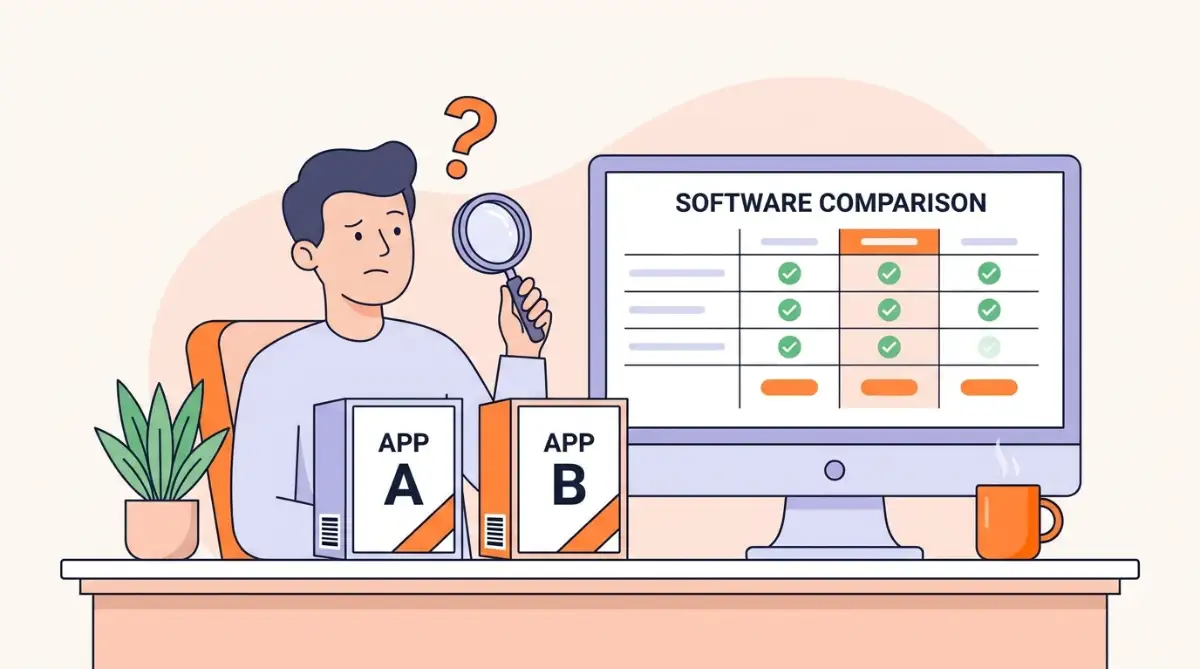
If you are writing for this type of reader, you need to be highly objective and incredibly thorough. Give them the pros, the cons, and your honest opinion based on real experience.
4. Ready to Buy (Transactional Goals)
This is the final stage of the journey. The user has done their research, made their decision, and is now looking for a place to spend their money. They use strong action words like "buy", "discount", "coupon", or "order".
If someone searches for "buy Nike running shoes size 10", they want to see a product page. They do not want to read a 2,000-word history of the Nike brand. They want clear pictures, a price tag, and a big button to add the item to their cart.
If you run a blog, you might not target these keywords directly unless you are selling your own digital products or courses.
How to Reverse-Engineer the Search Results
Now that you understand the theory, it is time to put it into practice. You cannot just guess what the user wants based on your gut feeling. You have to look at the hard evidence.
The easiest way to do this is to open an incognito window in your browser. Type your target keyword into Google and hit enter.
Now, closely study the first ten results that appear. This is Google telling you exactly what format, style, and angle the users prefer right now.
Are the top results all listicles with numbers in the title? Are they deep, ultimate guides? Are they video tutorials? Or are they e-commerce product pages?
If you see nine product pages and one blog post, do not try to rank another blog post for that term. The algorithm has already decided that people searching for this term want to shop, not read.
I learned this lesson the hard way a few years ago when I tried to rank a massive guide on a highly commercial keyword. My article was objectively better than anything else out there, but it completely tanked. I realized then that you cannot force Google to change its mind about what the user wants to see.
Auditing Your Own Content for Alignment
Take a deep breath and look at the articles you have already published on your site. Are they truly answering the specific questions your audience is asking?
Often, we write content that serves our own ego rather than serving the reader. We use overly complicated words and massive paragraphs that look intimidating on a mobile phone screen.
My Personal 3-Second Rule:
Before I hit publish, I always look at my article on my phone and ask myself:
- Can I understand the main point without reading every word?
- Are the paragraphs shorter than my thumb?
- Did I answer the main question right at the top?
- If the answer is no, I go back and edit until it passes the test.
You need to ruthlessly edit your work. Break up those giant walls of text. Add bullet points. Make your answers easily skimmable.
If your reader is looking for a quick definition, give it to them in the very first paragraph. Do not make them scroll through a long personal story just to find the basic facts they came for. Respect their time, and search engines will reward you with better rankings.
Using Multimedia to Satisfy the User
Sometimes, text is simply not the best way to answer a question. If someone wants to learn how to tie a tie, reading a description is incredibly confusing. They need a visual demonstration.
This is why embedding videos, creating custom infographics, or adding audio clips can dramatically improve your page. It keeps people on your site longer, which sends a very strong positive signal to the search algorithms.
If you are struggling to figure out exactly what kind of content to create, watching a real-time breakdown of the search results can completely change your strategy.
When you add a video to your page, make sure it directly relates to the sub-heading above it. Do not just throw random clips into your article hoping it will help.
Everything on your page must serve a single purpose: making the user's life easier.
The Importance of Reading Level and Tone
Another massive mistake beginners make is writing like they are submitting an academic paper. Unless your target audience consists entirely of university professors, this is a terrible idea.
The average person on the internet reads at about an eighth-grade level. They are busy, distracted, and probably looking at your site on a small phone screen while riding the bus.
You have to use simple words. Keep your sentences short and punchy. Talk to your reader like you are having a cup of coffee with a friend.
When you use words like "you" and "I", it creates a personal connection. It makes the reader feel like you actually care about their specific problem. This builds incredible trust over time.
Trust is the ultimate currency on the internet. If people trust your advice, they will bookmark your site, share your articles on social media, and keep coming back for more.
Quick Expert Insight:
Googleβs recent helpful content updates aggressively target robotic, overly complex writing. If a middle school student cannot understand your main point within the first 10 seconds, the search algorithm will likely bury your page. Talk to your readers like humans, not search engines!
Checking the "People Also Ask" Section
If you want a cheat code for understanding your audience, look no further than the "People Also Ask" box on the search results page. This is a goldmine of real questions that real human beings are actively searching for.
When you click on one of those questions, the box expands and reveals even more related questions. You can use these exact phrases as your H2 or H3 sub-headings in your article.
By directly answering these specific questions clearly and concisely, you drastically increase your chances of ranking well. You might even steal a featured snippet at the very top of the page.
It is all about being the most helpful resource on the internet for that specific topic.
Structuring Your Page for Easy Scanning
Let us talk about the visual layout of your article. As I mentioned before, nobody reads word-for-word on the internet anymore. We all scan.
We scroll quickly, looking for bold words, interesting pictures, and clear headings that catch our eye. If your article looks like a giant textbook, the user will immediately hit the back button.
You need to use plenty of white space. A paragraph should almost never be longer than three sentences.
Use descriptive sub-headings that clearly tell the reader what the next section is about. Instead of a boring heading like "Step 3", use something engaging like "How to Find Hidden Keywords in Five Minutes".
Make sure your font size is large enough to read comfortably on a mobile device without zooming in. Every single element of your page design should be focused on making the reading experience as smooth and enjoyable as possible.
Matching the Searcher's Urgency
Finally, consider the emotional state of the person typing the query. Are they panicked? Are they casually browsing? Are they frustrated?
If someone searches for "how to fix a burst water pipe emergency", they are panicking. They need the solution right this very second. Your introduction should be exactly one sentence long, followed immediately by the steps to shut off the main water valve.
If someone searches for "history of the Roman Empire", they are settling in for a long, leisurely read. You can afford to take your time, set the scene, and build a detailed narrative.
Matching the tone and urgency of the searcher is just as important as matching the topic. It shows empathy. It proves that you truly understand what they are going through in that exact moment.
When you combine all of these elementsβthe right format, the right tone, the right structure, and the right informationβyou create a piece of content that is virtually impossible for search engines to ignore. You stop fighting against the algorithm and start working directly with it. You finally become the clear, helpful answer that the user has been desperately searching for all along.
Advanced Strategies to Outsmart the Search Engines
Now that we understand the basic foundation of user behavior, we need to talk about how you can actually beat your competitors. Most website owners stop at the basics and never push their strategy to the next level. If you want to secure those top spots on the search results, you have to look deeper than just the primary question being asked.
You need to understand the concept of secondary intent. Sometimes, a person types a question into Google, but they actually have a hidden, secondary question in their mind. For example, if someone searches for a recipe, their primary goal is the ingredients list. But their secondary goal might be finding a video showing exactly how to mix those ingredients properly.
Anticipating these hidden needs is what separates a good website from a great website. You want to answer questions before the reader even realizes they need to ask them. This shows incredible authority and builds massive trust.
When you study Google's official guidelines on creating helpful content, you will see they constantly talk about satisfying the user's complete journey. They want to reward pages that leave the searcher feeling totally fulfilled. If a reader has to click the back button to find more information somewhere else, you have failed to satisfy their intent completely.
The Art of Matching Content Formats Perfectly
One of the biggest secrets in the industry is that the format of your writing matters just as much as the words you use. Search engines have become incredibly smart at analyzing how content is structured visually.
Let us say your target audience is trying to figure out a highly visual problem. For example, if a user wants to know why your AI images look blurry and how to fix them fast, they absolutely expect high-resolution image examples showing the before and after effects. If you just write a giant block of text without any pictures, they will bounce off your page instantly.
The format must match the expectation. If the search query implies a list, give them a numbered list right at the top. If the query implies a deep analysis, give them a well-researched, step-by-step breakdown with plenty of custom headings.
Real-Life Scenario: Solving Specific Pain Points
Think about how people search when they are frustrated. When things go wrong, users want immediate, highly specific solutions. They do not want fluff or background history.
Imagine a user frantically searching for a way to correct weird glitches in their digital art. This person has a very clear, urgent informational intent. A perfectly targeted guide on how to fix deformed AI hands and faces directly answers this struggle with a practical, step-by-step approach.
This is exactly how you should structure your own problem-solving articles. Acknowledge their pain in the very first sentence, and then immediately hand them the solution. Do not make them scroll through a thousand words of useless backstory just to find the answer.
The "Do's and Don'ts" of Updating Old Articles
Many people think they always need to write brand new articles to get more traffic. The truth is, refreshing your old content to better match user intent is often much faster and more profitable. However, you have to do it correctly.
Do: Look at your Google Search Console data to see exactly what keywords your old article is accidentally ranking for. Often, you will find that Google is trying to rank you for a slightly different topic than you originally planned.
Don't: Change the URL of your old article when you update it, unless it is absolutely necessary. Breaking old links will destroy any trust you have built up over time.
Do: Rewrite the introduction to immediately align with the current search trends.
Don't: Stuff the article with extra words just to make it longer. Remember, the best length is simply whatever it takes to answer the question fully.
Understanding this deeper logic behind search algorithms is a bit like decoding generative AI. You really have to study the underlying science of what the machine is trying to reward and adjust your inputs accordingly.
The Heartbreaking Pitfalls of Misguided Content Creation
It honestly breaks my heart when I see passionate, hard-working people pour their souls into a website, only to get zero traffic because of a few simple mistakes. We all start this journey with high hopes, dreaming of passive income and a growing audience. But when you ignore the true intent behind search queries, you are practically throwing your hard work into a black hole.
One of the most dangerous traps you can fall into is blindly copying your competitors without thinking about the user experience. Just because a massive, high-authority website is ranking with a terrible, hard-to-read article does not mean you should copy their bad habits. They are often ranking purely based on their domain age and backlinks, not because their content is actually helpful.
If you try to copy their terrible formatting, you will fail completely. You do not have their massive backlink profile to save you. You must rely on having a superior, more user-friendly page.
The Danger of the "Frankenstein" Article
A huge mistake I see beginners make is trying to answer every single possible intent on a single page. They find a keyword and decide to make a page that is part product review, part historical guide, and part news update. I call this the "Frankenstein" article.
When you try to please everyone, you end up pleasing no one. Search engines get confused about what your page is actually about. More importantly, the reader gets overwhelmed and leaves.
You need to pick one primary intent and stick to it with laser focus. If the user wants to buy something, give them a clean shopping experience. If they want to learn, give them a pure educational guide.
Ignoring the Visual Search Experience
Another fatal error is treating your blog post like a printed novel. We live in a highly visual era, and user behavior has completely shifted. Extensive research on how users actually read on the web proves that people scan pages in an F-shaped pattern, desperately looking for visual anchors.
If you just give them giant walls of text, their eyes will glaze over instantly. You must break up your text with relevant images, charts, or bullet points.
Just like making terrible lighting mistakes you must avoid can easily ruin a beautiful piece of digital art, presenting a badly formatted page will destroy your chances of ranking. The visual presentation of your content is a massive part of matching user intent successfully.

Losing Your Unique Voice in the Process
In the desperate rush to rank on the first page, many writers completely lose their own personality. They start writing like boring robots because they think that is what the search algorithms want to see. This is a massive mistake for long-term growth.
People connect with other people, not with encyclopedias. If your writing is completely dry and lacks empathy, readers will not remember your brand. They will just get their answer and leave forever.
Your brand voice needs to remain stable and unique across your entire site. This is very similar to how you must master AI character consistency so that your audience always recognizes your creative work immediately. Inject your personal experiences, your failures, and your honest opinions into everything you write.
The Mobile Experience Disaster
Finally, we have to talk about mobile users. Over half of all internet traffic happens on mobile phones right now. If your website looks beautiful on a desktop computer but functions poorly on a phone, you are going to lose a massive amount of traffic.
Pop-ups that cover the entire screen, tiny fonts that require zooming, and buttons that are too small to tap will instantly frustrate a mobile user. When they leave your site in anger, search engines take notice of that negative signal.
Always check how your articles look on your own phone before you hit publish. If you find it annoying to read your own work on a small screen, I guarantee your audience will hate it too.

Bringing It All Together for Long-Term Growth
Mastering the art of search intent is not a one-time trick you do overnight. It is a complete mindset shift in how you approach your entire online business. When you finally stop trying to trick the algorithms and start focusing entirely on serving real human beings, everything changes.
Traffic begins to flow naturally, readers start leaving positive comments, and your bounce rate drops dramatically. You will start to view your website not just as a collection of keywords, but as a genuinely helpful resource center for your community.
By analyzing real consumer search journey data, you realize that every search is just a person looking for a little bit of help. Your job is to be the friendly expert waiting on the other side of the screen with a warm welcome and a clear answer.
If you continually audit your content, study the search results carefully, and adapt to what your readers actually want, you will build an incredibly resilient website. You will not have to panic every time a new search algorithm update rolls out.
Feel free to check out the amazing tools and resources at Digit Shopy to find additional guides that can help you streamline your entire creative workflow. Remember, success in this industry is a marathon, not a sprint.
I spent so many nights crying over flat traffic graphs before I finally understood this simple concept of giving people exactly what they want. My biggest advice to you today is to stop chasing algorithms and start serving real humans with passion. You have amazing knowledge to share with the world, and I know you can turn your website into a massive, life-changing success!
Your Next Immediate Step Today:
Do not just close this tab and forget what you learned. Open up your Google Search Console right now. Find one old blog post that is stuck on page 2. Apply my 3-second rule, rewrite the introduction to match the exact user goal, and watch how quickly your rankings shift next week.
Your Biggest Questions About Search Intent Answered
What is the easiest way to find the intent of a keyword?
The absolute easiest way is to open a private browsing window and simply search for your target keyword on Google. Look closely at the top five results that appear on the first page. The format and angle of those top pages will tell you exactly what the search engines believe the users want to see.
Can search intent change over time?
Yes, it can change very rapidly depending on current events or new trends. For example, a search for a specific software tool might normally bring up reviews, but if that company has a massive data breach, the intent will suddenly shift to news updates. You have to monitor your top-ranking pages frequently to make sure they still match what people are looking for.
How long does it take to rank after updating my content?
It really depends on how often search engines crawl your specific website. Sometimes, if you request indexing through your search console, you can see positive changes in just a few days. However, for most normal websites, it usually takes a few weeks to see a solid, stable jump in your rankings.
Should I delete old posts that do not match search intent?
You should almost never just delete an old post unless it is completely irrelevant to your niche. Instead, try to rewrite and refresh the article so it perfectly matches the current intent of the keyword. If the article is truly unsalvageable, you can redirect the link to a better, more helpful page on your site so you do not lose any valuable link juice.
Is it possible for a single keyword to have multiple intents?
Absolutely, many broad keywords have mixed intents because people search for them for different reasons. When this happens, search engines will usually show a mix of informational guides, video tutorials, and product pages on the first page. In these cases, you should pick the specific intent that best matches your own business goals and focus entirely on that angle.
Disclaimer: The information provided in this article is for educational and informational purposes only. SEO strategies and search engine algorithms are constantly changing, and individual results may vary. We do not guarantee specific rankings, traffic increases, or AdSense approval, as these depend on various factors unique to your website. Always ensure your content strictly complies with Google's Publisher Policies and the community guidelines of any social media platforms you use.
