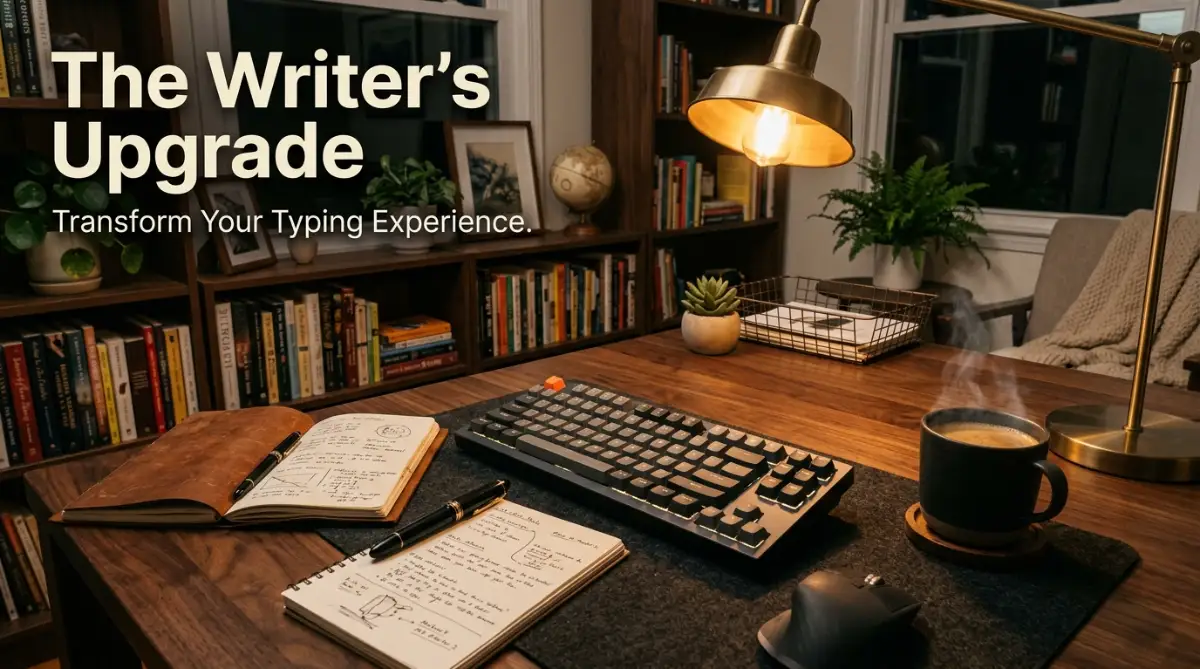
My Bleeding Fingers and the Membrane Nightmare
I still remember the nights I sat staring at my glowing monitor, gently massaging my aching wrists and wondering why writing felt like such a massive chore. My fingers felt heavy, almost as if they were sinking into a muddy swamp every time I pressed a key on my cheap laptop keyboard. I was churning out thousands of words daily, but the physical toll was getting absolutely ridiculous. Every single keystroke felt hollow, mushy, and completely uninspiring. I blamed writer’s block, poor desk posture, and even my chair before realizing the real problem was right under my hands.
That standard rubber-dome keyboard was quietly draining my creative energy every single day. Switching to something better was not just a fun tech upgrade; it literally saved my sanity. You might not notice it at first, but standard standard keyboards force you to press down extremely hard to register a key.
This constant bottoming out sends tiny shockwaves up your fingers and straight into your wrists. By the end of a long drafting session, your hands feel stiff, tight, and completely exhausted. Many authors and bloggers experience this hidden daily struggle without ever knowing why they feel so tired.
They simply push through the physical pain, mistakenly thinking tired hands are just a normal part of the job. But this physical discomfort directly ruins your mental peace and heavily interrupts your creative flow. Imagine trying to play a beautiful piece of music on a piano with sticky keys.
You would get frustrated, lose your natural rhythm, and eventually walk away from the instrument entirely. That is exactly what happens when you try to write a great story on a poor-quality keyboard. Your thoughts are moving at lightning speed, but your hands are fighting against a thick rubber membrane.
You make annoying typos, you angrily hit backspace, and you lose that brilliant sentence you just formed in your head. It is a deeply annoying cycle that slowly eats away at your natural passion for writing. Eventually, the mere thought of sitting down to write brings a deep sense of dread.
The Science Behind the Perfect Keystroke
To understand why your hands are hurting, we need to look directly at the basic mechanics of typing. Standard keyboards use a single, cheap rubber sheet underneath all the plastic keys. When you press a letter, you have to squash that rubber dome all the way down to the plastic board to make an electronic contact.
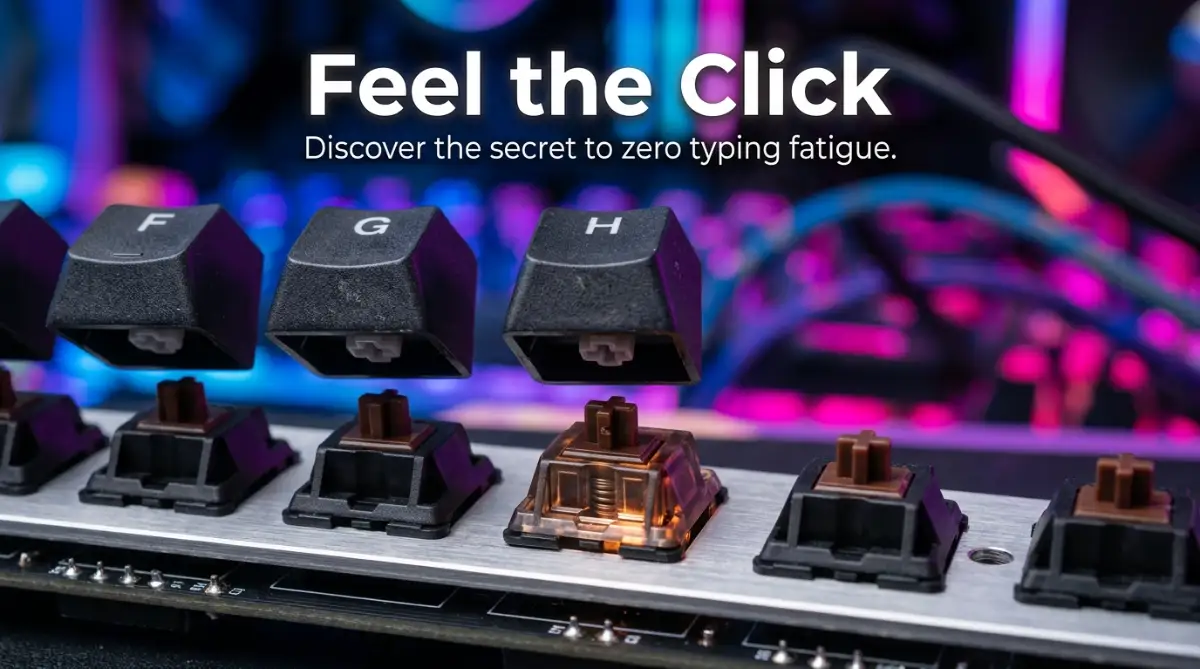
Mechanical keyboards are built entirely differently from the ground up. Underneath every single key cap is a dedicated, individual mechanical switch. This self-contained switch has its own metal spring, plastic housing, and copper contact leaves.
Because of this metal spring mechanism, you do not have to press the key all the way to the bottom. The keyboard actually registers your keystroke halfway down the press. This simple mechanical difference completely changes the way your hands interact with your computer.
I used to hammer my enter key so hard my coffee cup would shake, mostly out of bad habit. But once I switched to tactile switches, I learned to type with a much lighter touch, which completely eliminated my late-night wrist pain. It is amazing how a small hardware change naturally fixes a terrible physical habit.
If you want to hear exactly how different switches sound and see why writers are obsessed with them, watch this detailed comparison below.
Tactile Feedback and Muscle Memory
When you press a mechanical key, you feel a distinct little bump right when the letter registers on your screen. This immediate physical feedback tells your brain that the job is done perfectly. You instantly know the key was pressed without having to look down at your hands.
Over time, your fingers learn exactly how much pressure is actually needed. Your typing naturally becomes lighter, faster, and much more accurate. You stop smashing the keys and start gracefully dancing across them.
Audio Cues That Keep You in the Zone
Sound plays a massive role in our daily focus and working rhythm. The crisp click or deep thumping sound of a mechanical switch acts like a metronome for your writing. It creates a satisfying auditory loop that pulls you deeper into your work.
Writers often struggle to find that elusive state of creative flow. The consistent sound of your keyboard can act as a trigger, signaling your brain that it is time to work. It effectively blocks out background noise and turns your desk into a highly productive sanctuary.
Selecting Your Ideal Switch Type
Not all mechanical keyboards are exactly the same, and the real secret lies in the switches. They generally fall into three main categories: Linear, Tactile, and Clicky. Choosing the right one is entirely based on your personal preference and your daily working environment.
Clicky Switches (The Typewriter Vibe)
Clicky switches, often known as Blue switches, are loud and proud. They give you a sharp, audible click along with a very strong physical bump. If you write alone and love the nostalgic sound of an old-school typewriter, these are absolutely fantastic.
However, they are not great at all if you share a workspace or work in an office. The loud noise can easily annoy your family members or coworkers sitting nearby. But for solitary writers in a private room, the auditory feedback is incredibly satisfying.
Tactile Switches (The Sweet Spot)
Tactile switches, usually colored brown or clear, are often considered the best middle ground for writers. They provide the physical bump so you know the key registered, but they skip the loud, high-pitched click. You get all the accuracy benefits without waking up the whole house at night.
This is my personal favorite style because it feels highly responsive and snappy. It offers a gentle physical reminder that keeps your fingers moving smoothly from one letter to the next.
Linear Switches (Smooth and Silent)
Linear switches, like red or black ones, push straight down without any bump or click at all. They are incredibly smooth and often preferred by gamers for rapid, repeated presses. Some writers really love them because they feel like typing on a soft cloud.
However, they can take some serious getting used to. Because there is no feedback, you might accidentally press keys just by resting your heavy fingers on them. It requires a bit more finger control when you first start using them.
Ergonomics and Long-Term Hand Health
Beyond the actual switches, mechanical keyboards often offer much better ergonomic profiles. Many come with sculpted keycaps that naturally curve to fit the varying lengths of your fingers. This means you do not have to stretch your hands as far to reach the top rows.
You can also easily swap out keycaps to find a shape profile that suits your hands perfectly. Some profiles are tall and slanted, while others are low and completely flat. Customizing this setup drastically reduces your overall finger travel distance.
When your fingers travel less, your hands do much less work overall. Over an eight-hour writing day, saving a few millimeters of movement on every keystroke adds up. It translates to a massive amount of saved energy and reduced soreness.
Let's Look at the Data (Myth vs Reality)
A very common myth is that mechanical keyboards are strictly for serious gamers with flashy, colorful lights. The reality is that these keyboards were originally designed for heavy typists and data entry professionals.
Another big myth is that they will magically make you type 150 words per minute overnight. While they do not give you superpowers, they absolutely improve your typing accuracy over time. Fewer mistakes mean less backspacing, which naturally increases your overall word count per hour.
Customizing the Writing Experience
One of the best parts about moving to this side of the tech world is the personalization. You are no longer stuck with the black, boring plastic board that came free with your computer. You can build a custom tool that actually inspires you to sit down and create.
From retro color schemes to custom artisan keycaps, your keyboard easily becomes a reflection of your personality. Having a beautiful, dedicated writing tool makes the daily work feel much more special. It shifts your mental mindset from doing boring chores to practicing a real craft.
Even the physical weight of the keyboard makes a surprisingly big difference. Most mechanical options have a solid metal plate inside, making them heavy and extremely stable. They do not slide around your desk when you get into a frantic, fast-paced typing session.
The Hidden Benefit of Reprogrammable Keys
Many modern mechanical boards allow you to reprogram every single key to do whatever you want. For a dedicated writer, this is a massive daily productivity booster. You can set up specific macros to format text, insert em dashes, or save documents with a single press.
Instead of moving your hand to the mouse to highlight and delete a word, you can map a shortcut right next to your thumb. Keeping your hands safely on the home row keeps your brain totally focused on the story.
Small interruptions break our deep focus much more than we realize. By streamlining your formatting tasks into the keyboard itself, you heavily protect your attention span. It is exactly like having a fast digital assistant right at your fingertips.
The Journey of Finding Your Perfect Board
Transitioning to a mechanical keyboard is a very fun and personal journey. It might seem a little overwhelming at first with all the different terms, sizes, and switch types. But you do not need to build a custom board from scratch to see the immediate benefits.
Start by figuring out what physical size works best for your specific desk. Full-sized keyboards are great if you use the number pad often for accounting or data. However, tenkeyless boards drop the number pad, bringing your mouse closer to your typing hands and improving your shoulder posture.
If you want something even more compact, a 65 percent keyboard saves maximum desk space. It keeps the arrow keys for easy editing but drops the top function row entirely. Smaller boards force you to be highly efficient and keep your workspace completely clutter-free.
Maintenance and Longevity
Another massive advantage is exactly how long these devices last on your desk. A typical rubber dome keyboard gets stiff and unresponsive after just a year of heavy writing. Mechanical switches are officially rated for tens of millions of presses without losing their feel.
If one switch ever breaks, you do not have to throw away the whole keyboard and buy a new one. On hot-swappable boards, you simply pull the broken switch out and push a new one in. It takes three seconds and costs almost nothing to fix.
They are also incredibly easy to clean and maintain over the years. You can pull all the plastic keycaps off, wash them in warm soapy water, and brush the dust out of the board. Your keyboard will look and feel brand new for a very long time.
How Your Brain Responds to Better Tools
There is a psychological element to daily writing that we often completely ignore. Professional chefs bring their own high-quality knives to the kitchen, and musicians spend fortunes on their instruments. Writers should view their daily keyboards with the exact same level of respect.
When you invest in a tool that feels premium, you subconsciously treat your work much more seriously. You sit up a little straighter, you focus a little harder, and you write with more clear intention. It is a highly powerful mental shift that changes how you approach blank pages.
Every time I hear that satisfying sound of my spacebar, I feel a tiny sense of true accomplishment. It is immediate, positive reinforcement for doing the hard work. Over thousands of words, those tiny hits of dopamine keep you fully motivated.
The End of Typing Fatigue
I cannot stress enough how nice it is to finish a writing session without throbbing hands. The lighter touch and better ergonomics completely change how your body recovers from work. You can actually enjoy the rest of your day without constantly nursing sore, tired wrists.
Writing is mentally taxing enough on its own without adding physical pain to the mix. Your physical body should not be fighting against you while you try to draft a new chapter. Removing that physical friction allows your thoughts to flow freely onto the screen without interruption.
If you write every single day, upgrading your keyboard is the best physical investment you can make. It highly protects your hands, heavily improves your focus, and makes the actual act of writing incredibly fun. You will honestly wonder how you ever survived without it.
Exploring Keycap Materials
When you dive deeper into this hobby, you will notice people talking about ABS and PBT keycaps. ABS plastic is smooth and often cheaper, but it tends to get shiny and slippery over time. PBT plastic is much thicker, slightly textured, and highly resistant to those shiny wear marks.
Typing on high-quality PBT keycaps feels incredibly premium under your fingers. The slightly rough texture grips your fingertips perfectly, preventing them from slipping during fast typing spurts. It adds another layer of physical comfort to your daily writing routine.
We often underestimate how much texture impacts our sensory experience at the desk. By choosing a material that feels good to the touch, you remove another tiny distraction. You can simply close your eyes and let your fingers do the talking.
Desk Setup and Posture Connection
Your keyboard is the central anchor of your entire desk setup. When you use a smaller, better-designed keyboard, it naturally forces you to adjust your chair and monitor. Your arms rest at a much more natural angle, taking the heavy strain off your neck and shoulders.
I used to hunch over my laptop, completely ruining my upper back. Moving to a dedicated mechanical board pushed me to sit back in my chair properly. The physical hardware changes heavily influence your entire bodily posture.
We have to remember that writing is an endurance sport. Setting up an ergonomic command center ensures you can keep doing what you love for decades. Your tools should always support your health, never take away from it.
Maximizing Your Daily Writing Comfort
Once you finally find a mechanical board that feels truly good under your hands, you want to keep that magic alive for the long haul. Taking care of your typing tools requires just a tiny bit of weekly attention. It is exactly like keeping a clean desk; it directly improves your mental clarity.
Let us talk about sound dampening, which is a highly guarded secret trick among heavy typists. If your new board sounds a bit too hollow or echoes while you type, you can easily fix it. Adding a simple layer of dense foam inside the plastic case completely changes the acoustics overnight.
This simple physical modification absorbs those annoying high-pitched ringing noises that distract you. What you get in return is a deep, highly satisfying thud with every single keystroke. A quieter, deeper sound profile heavily helps you block out distractions and skyrocket your focus during intense drafting sessions.
Another massive upgrade is investing in a high-quality desk mat for your workspace. Placing a thick, soft rubber pad under your keyboard stops it from sliding around on